
Contact Us
Together with ZANSONG, Taking Great Sound Further
From R&D and supply chain management to quality control and market services, ZANSONG is committed to delivering reliable audio products and solutions to global partners.
Contact us today to explore partnership opportunities.
What Is a Wireless Lavalier Microphone? How to Choose a Microphone for Livestreaming and Video Recording
Learn about wireless clip-on microphones and how to choose the right one for live streaming or video recording, based on factors such as the number of participants, connection ports, audio capture capabilities, and the intended recording environment.
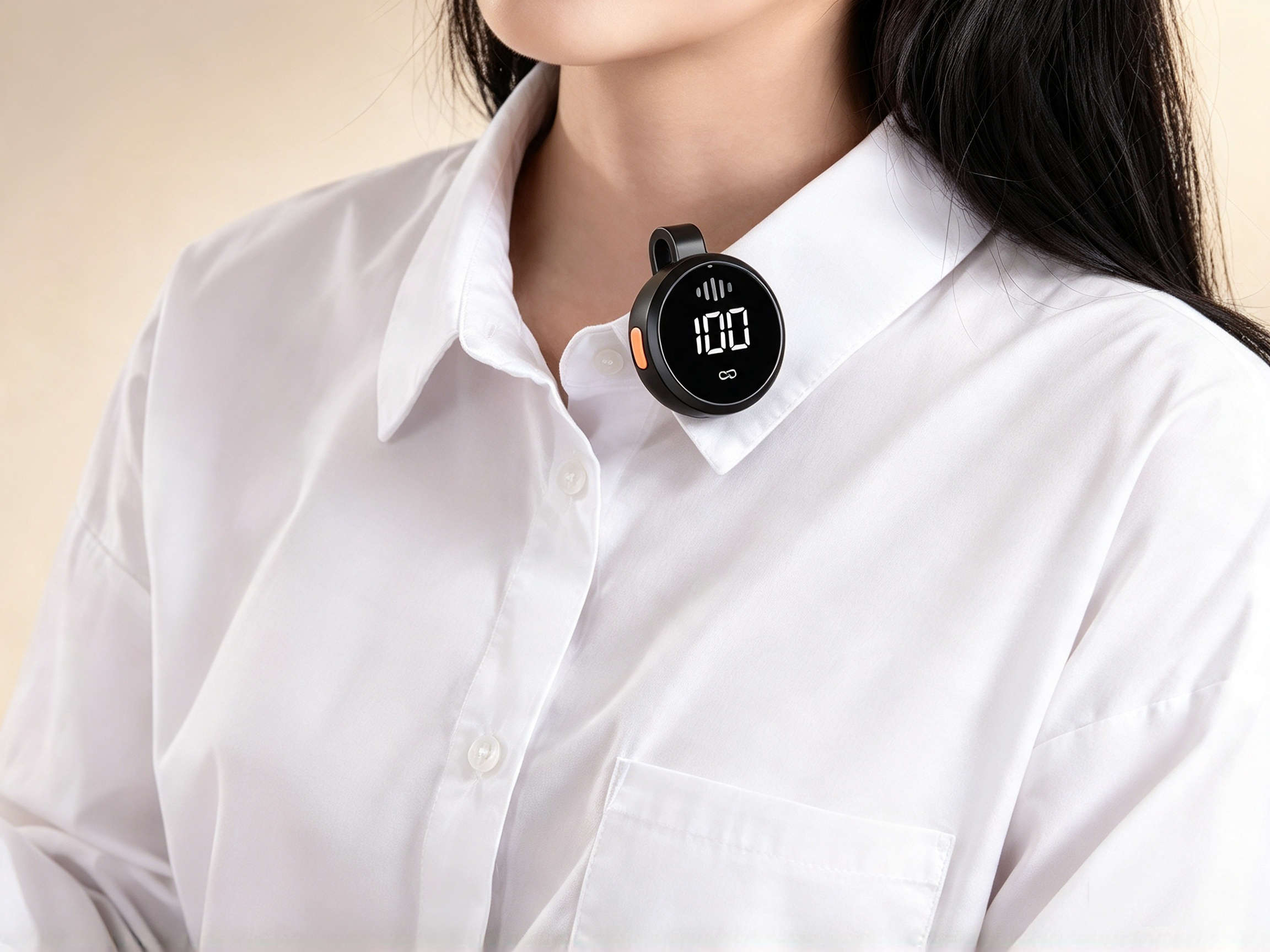
When live streaming for sales, filming TikTok or YouTube videos, or recording interviews, audio quality directly impacts the viewer experience. The visuals may look great, but if the voice is too low, filled with background noise, or constantly cutting out, the content will still struggle to capture attention.
That is why wireless clip-on microphones are increasingly chosen by content creators, online shop owners, teachers, and video creators. The device features a compact design, is easy to wear on clothing, and allows users to move around flexibly without needing to hold a microphone.
So, what is a wireless clip-on microphone? Should you choose a single-person or two-person set? How do you connect it to a smartphone and reduce wind noise when filming outdoors? Let’s find out with ZANSONG in the article below.
1. What is a wireless clip-on microphone?
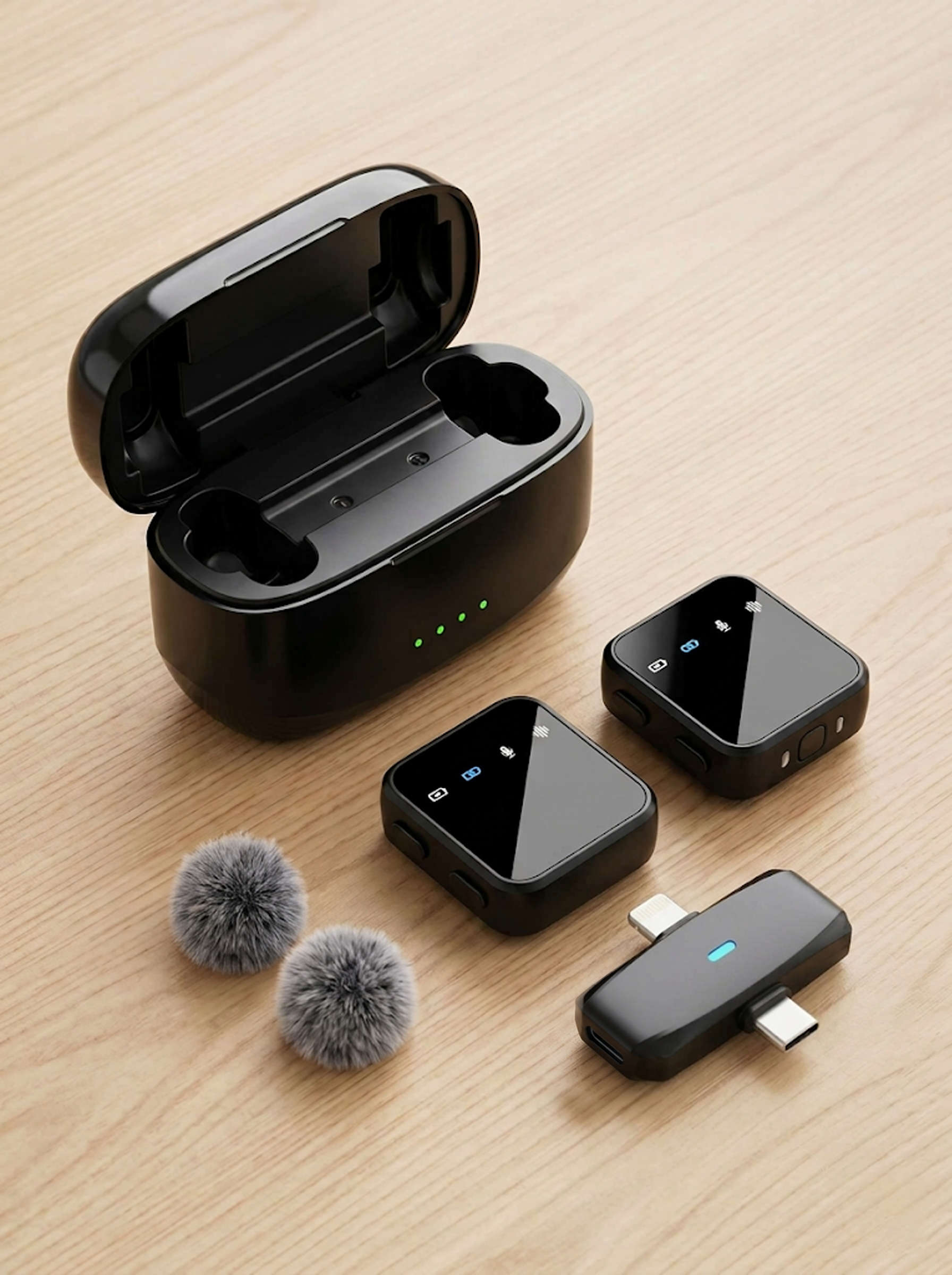
A wireless clip-on microphone (lavalier mic) is a small audio recording device, usually attached to a collar, lapel, or close to the speaker's mouth. Audio is captured through a transmitter and wirelessly transmitted to a receiver, which then sends the sound into a phone, tablet, camera, or computer depending on the device's connection standard.
A standard wireless clip-on microphone set typically includes:
-
Microphone transmitter: The device that records the voice, which can be clipped directly onto clothing.
-
Signal receiver: Connects to a phone or recording device to receive the audio.
-
Charging case: Included with some product sets to help store and charge the microphones when not in use.
-
Accessories: Connecting cables, adapters, or windscreens depending on the specific product package.
Compared to wired microphones, wireless clip-on mics allow users to move freely, avoid tangled cables, and easily set up camera angles. It is an ideal choice when you need to speak while demonstrating products or recording in large spaces.
2. Who are clip-on microphones suitable for?
Wireless clip-on microphones are not just for professional content creators—they are also well-suited for various everyday needs.
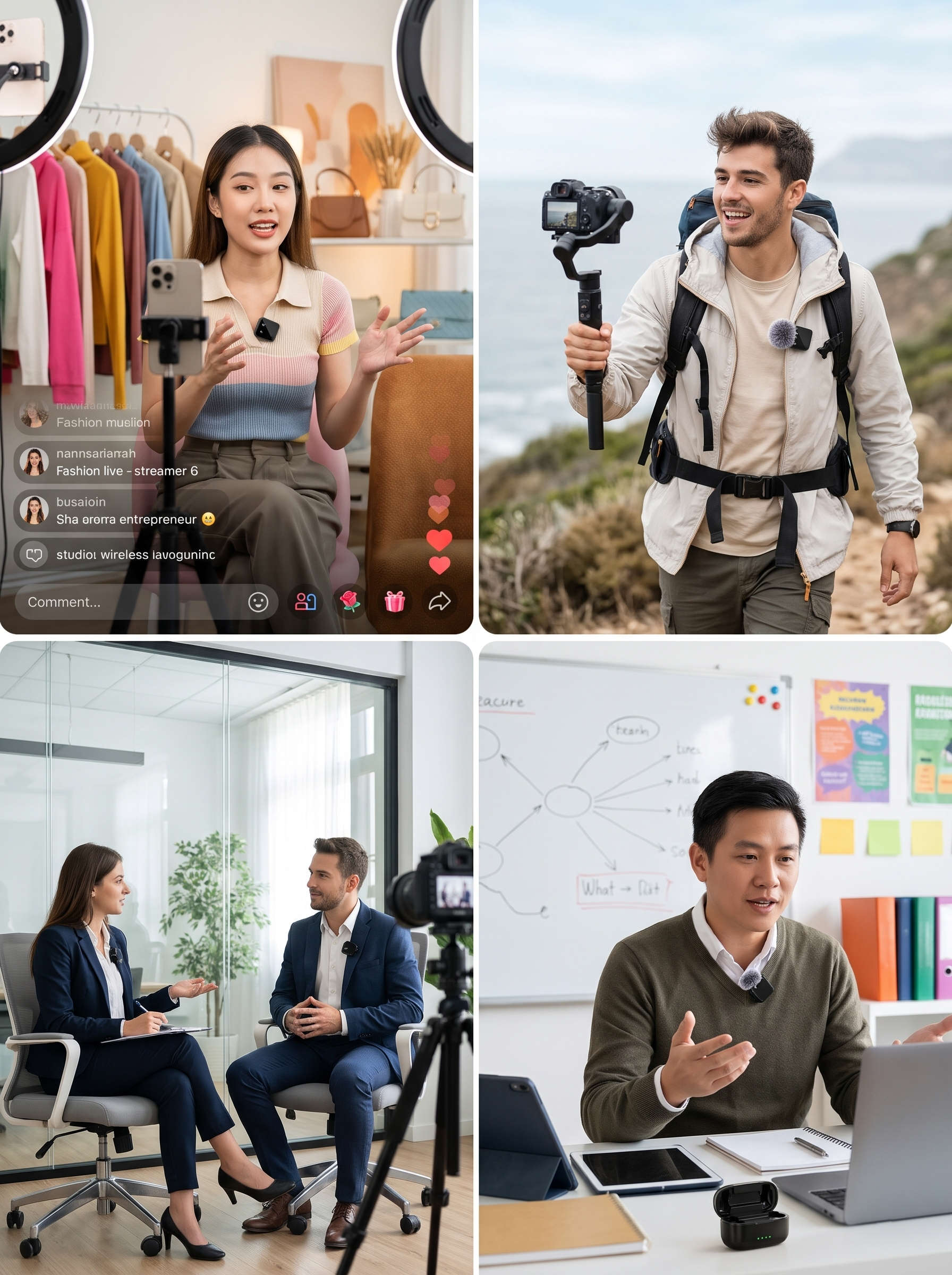
Live sellers: When presenting products on TikTok Shop, Facebook, or Shopee Live, sellers often need to hold items, demonstrate features, and interact with customers. A clip-on livestream microphone helps record clear audio without having to hold a mic in hand.
TikTokers, YouTubers, and Vloggers: Creators who regularly film tutorial videos, share experiences, review products, or shoot outdoors can use these microphones to capture audio closer to the sound source.
Interview video creators: When filming two people conversing, interviewing clients, or producing corporate promo videos, a dual-person microphone set gives each speaker their own dedicated mic.
Teachers and online educators: Clip-on mics support voice recording during lectures, presentations, or instructional videos without requiring constant mic-holding.
Shop owners and businesses: When producing product showcase videos, user guides, or promotional content, the device makes the audio recording process much more convenient.
3. What is the difference between single-person and dual-person microphones?
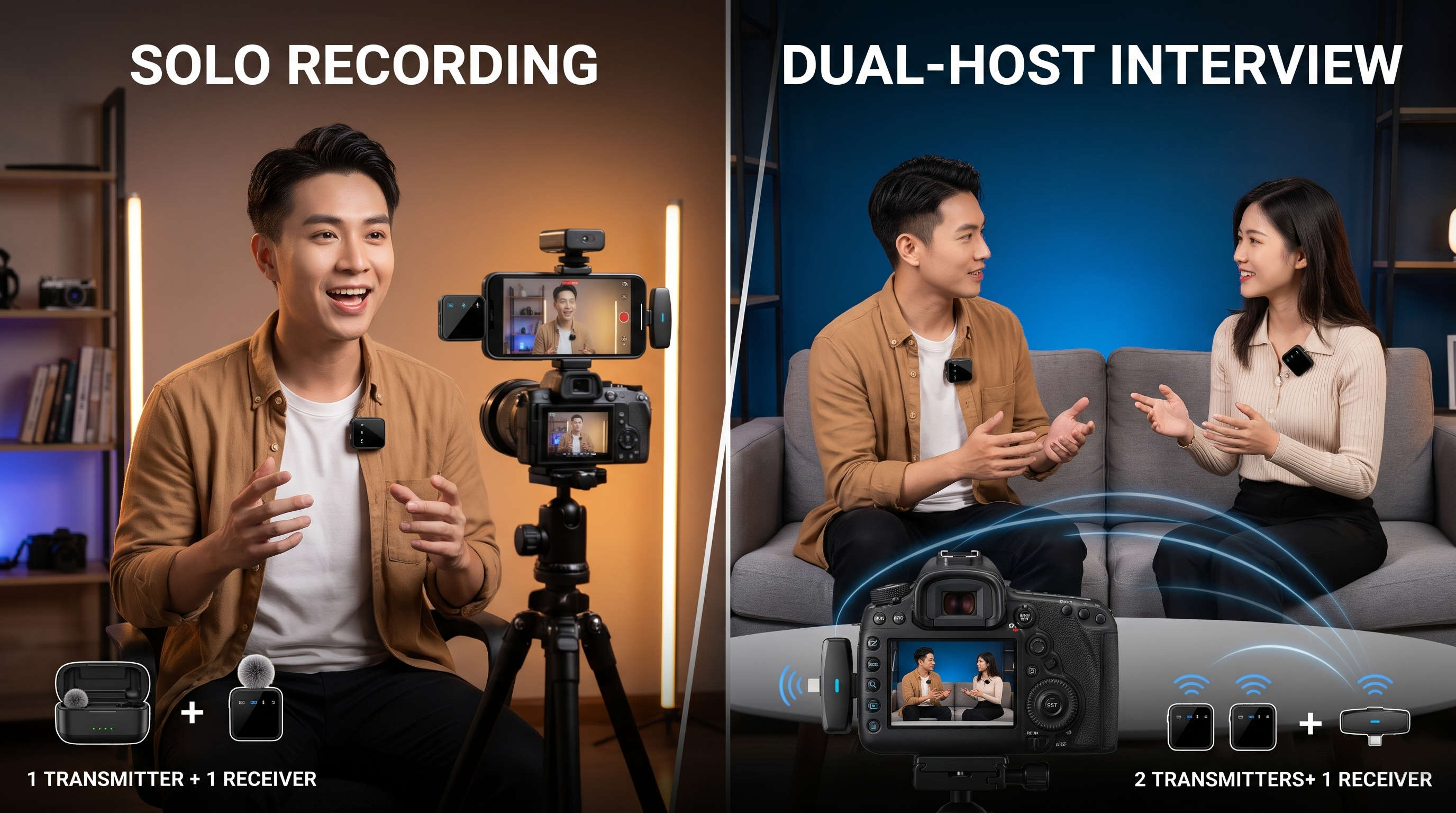
This is one of the most important criteria when choosing a wireless clip-on microphone. Depending on the number of people appearing in the video, you can choose a single-mic or dual-mic set.
Single-person clip-on microphone
A single-person microphone set typically includes one transmitter microphone and one receiver. This is suitable when you primarily film solo videos, host personal livestreams, review products, or teach online.
Advantages:
-
Compact, lightweight design, easy to carry.
-
Simple setup, perfect for beginners.
-
Meets recording needs for a single speaker.
-
Usually ideal for solo content creation.
Dual-person clip-on microphone
A dual-person microphone set usually features two transmitter microphones connected to a single receiver. Each person wears their own mic, making it easy to record conversations or content involving two speakers.
Advantages:
-
Suitable for filming interviews or dialogues.
-
Supports two people appearing together in a video.
-
No need to pass a single microphone back and forth.
-
Convenient for live sales streams featuring a main host and an assistant.
Which one should you choose?
If you regularly film videos alone, prioritize a single-microphone set to save costs and simplify setup. If you frequently conduct interviews, host two-person livestreams, or shoot conversational videos, a dual-microphone set offers much greater flexibility.
For example, the ZANSONG K31 and K32 feature a two-transmitter and one-receiver configuration. These are great options to consider if you need to record two people in the same video.
4. Check connector types, compatibility, and operating range
A microphone set loaded with features won't be convenient if it isn't compatible with your recording device. Therefore, before buying a wireless microphone for your phone, you should check the following factors:
Check connector types
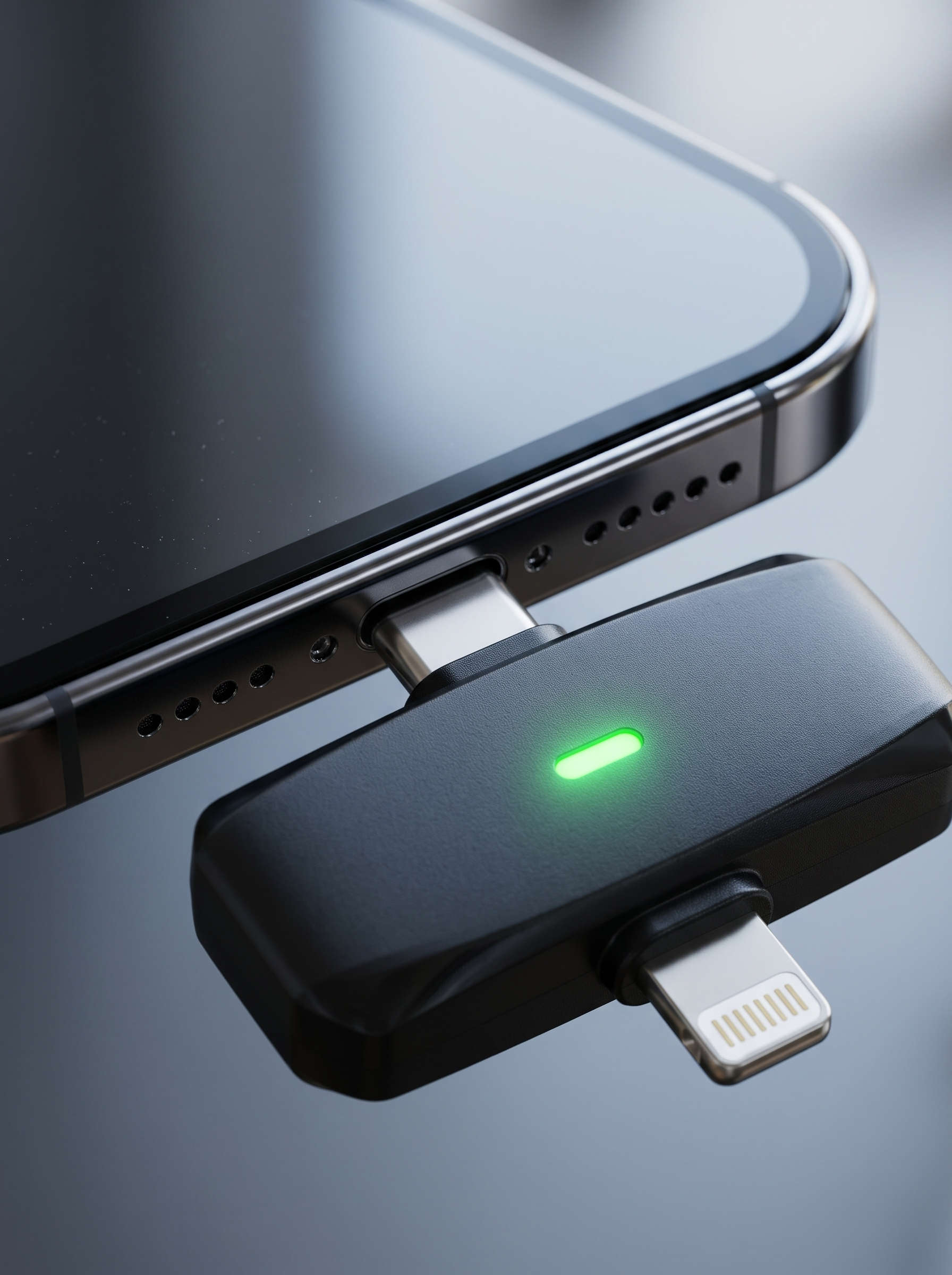
The microphone receiver may use different connection standards, such as:
-
USB-C: Commonly used on many Android phones and other devices.
-
Lightning: Designed for Apple devices utilizing a Lightning port.
-
3.5mm: Can be used with phones, cameras, or computers featuring a compatible audio jack.
-
USB-A: Frequently seen when connecting to computers or devices with standard USB ports.
Note: Not every phone supports all connection standards. Some devices require an adapter or external microphone settings permission. Make sure to check your phone's port and the included receiver type before ordering.
Check compatibility
Identify the primary device you use for video recording:
-
Android phone or iPhone?
-
Windows computer or MacBook?
-
Does your camera support an appropriate audio input?
-
Does your livestream or video recording app recognize external microphones?
If you frequently stream on a phone, prioritize a microphone set whose receiver connects directly to your device. If you use multiple devices, check whether the manufacturer provides compatible adapters.
Check transmission range
Operating range is the maximum distance between the transmitter mic and receiver under specific test conditions. In practice, walls, physical obstacles, human bodies, and nearby electronic devices can reduce signal stability.
If you only stream at a desk, an extreme range isn't necessary. However, if you film outdoors, move around, or present products across a large space, choose a mic with an operating range that fits your actual distance requirements.
5. How to reduce wind noise and ambient noise when using clip-on mics
Even with a quality microphone, recordings can pick up wind noise, clothing rustle, or environmental sound. To improve recording quality, keep the following tips in mind:
Use a furry windscreen: When shooting outdoors, wind blowing directly into the microphone capsule can create humming or popping noises. A windscreen helps mitigate the impact of airflow on the mic.
Position the microphone correctly: Clip the microphone near the upper chest area, pointing toward the mouth, and avoid covering it with hair, scarves, or accessories.
Avoid mic friction against clothing: Do not clip the mic too close to tight collars or areas where fabric moves frequently. Rustling sounds can impair vocal clarity.
Choose a suitable recording environment: Minimize shooting near fans, air conditioners, heavy traffic, or noisy areas. If filming indoors, select a room with low echo and close doors to reduce outside noise.
Adjust gain/volume levels appropriately: If your device features input sensitivity or volume control, test different levels. Avoid setting it too high (causing distortion) or too low (making the voice hard to hear).
Keep in mind that noise cancellation features cannot eliminate all background noise completely. Mic placement and recording environment remain crucial factors.
6. Steps to test your microphone before filming or live streaming
Before starting an important livestream or video shoot, take a few minutes to test your equipment. The workflow below helps prevent common errors:
Step 1: Check battery and equipment
Ensure both the transmitter mic and receiver are fully charged or have sufficient battery for the expected duration. Check all accessories and connectors.
Step 2: Connect the receiver to your phone
Plug the receiver into the correct port on your phone. If an adapter is needed, use a compatible one.
Step 3: Power on the mic and verify connection
Turn on the transmitter mic and receiver according to the manufacturer's instructions. Observe the indicator lights or connection status to confirm successful pairing.
Step 4: Record a test sample
Open your video or audio recording app and speak briefly at a normal volume. Play it back to check if your voice is clear, crisp, and free from crackling, low volume, or cutouts.
Step 5: Test movement
If filming outdoors or streaming while walking, move within your intended radius. Verify signal stability and make sure the sound doesn't drop out.
Step 6: Check for wind noise and rustling
Test under actual conditions, both stationary and while moving. Adjust the mic clip position or attach a windscreen if necessary.
Don't forget to listen to the test recording using headphones before starting your main content. This simple step helps catch audio issues you might miss while speaking.
7. Explore ZANSONG wireless clip-on microphone series
If you are looking for a wireless clip-on microphone for sales live streaming, video creation, or interviews, check out ZANSONG's product catalog.
Notable models include:
-
ZANSONG K31: A dual-person microphone set using 2.4G signal transmission technology, featuring a charging case and broad device compatibility.
-
ZANSONG K32: A dual-person wireless clip-on mic tailored for Vlogs, live streams, interviews, and content creation.
-
ZANSONG ST88: A dual-person microphone set with a charging case, supporting connection to compatible smartphones, tablets, and computers.
When making a selection, match the connector type, operating range, battery life, and number of transmitter mics to your actual needs. Specifications and accessories may vary depending on the product version.
You can browse more models in the ZANSONG Lavalier Microphones category to find the right fit for your setup.
8. Frequently Asked Questions about wireless clip-on microphones
Can wireless clip-on microphones be used with smartphones?
Yes. Many microphone sets are designed to connect to phones via USB-C, Lightning, or compatible adapters. However, be sure to verify the exact connection standard before buying.
Can a clip-on livestream mic be used for recording TikTok videos?
Yes. As long as the mic is compatible with your phone and video app, you can use it to capture audio for TikTok, YouTube Shorts, or other short-form videos.
Can a single-person mic be used to interview two people?
It is possible, but not as convenient as a dual-mic set. When two people speak, a single mic may not capture balanced audio if the second speaker is standing further away.
Do wireless microphones experience interference outdoors?
They can. Physical barriers, distance, and other signal sources can affect signal strength. It is best to test the connection in your actual shooting environment and keep the receiver within an appropriate operating range.
Conclusion
A wireless clip-on microphone is a valuable tool for live sales streaming, video production, vlogging, interviews, and content creation. To choose the right product, determine the number of speakers, check connector types, compatibility, operating range, and real-world audio quality.
If you are searching for a livestream clip-on mic or a smartphone video microphone, check out the products in ZANSONG's Lavalier Microphone category to find the perfect solution for your needs.
