
Contact Us
Together with ZANSONG, Taking Great Sound Further
From R&D and supply chain management to quality control and market services, ZANSONG is committed to delivering reliable audio products and solutions to global partners.
Contact us today to explore partnership opportunities.
How to Choose a Sound Card for Livestreaming Sales: A Guide for Beginners in Vietnam
A guide to choosing a sound card for live-streamed sales in Vietnam. Learn about connection ports, microphones, how to use them with phones and computers, and discover solutions from ZANSONG.
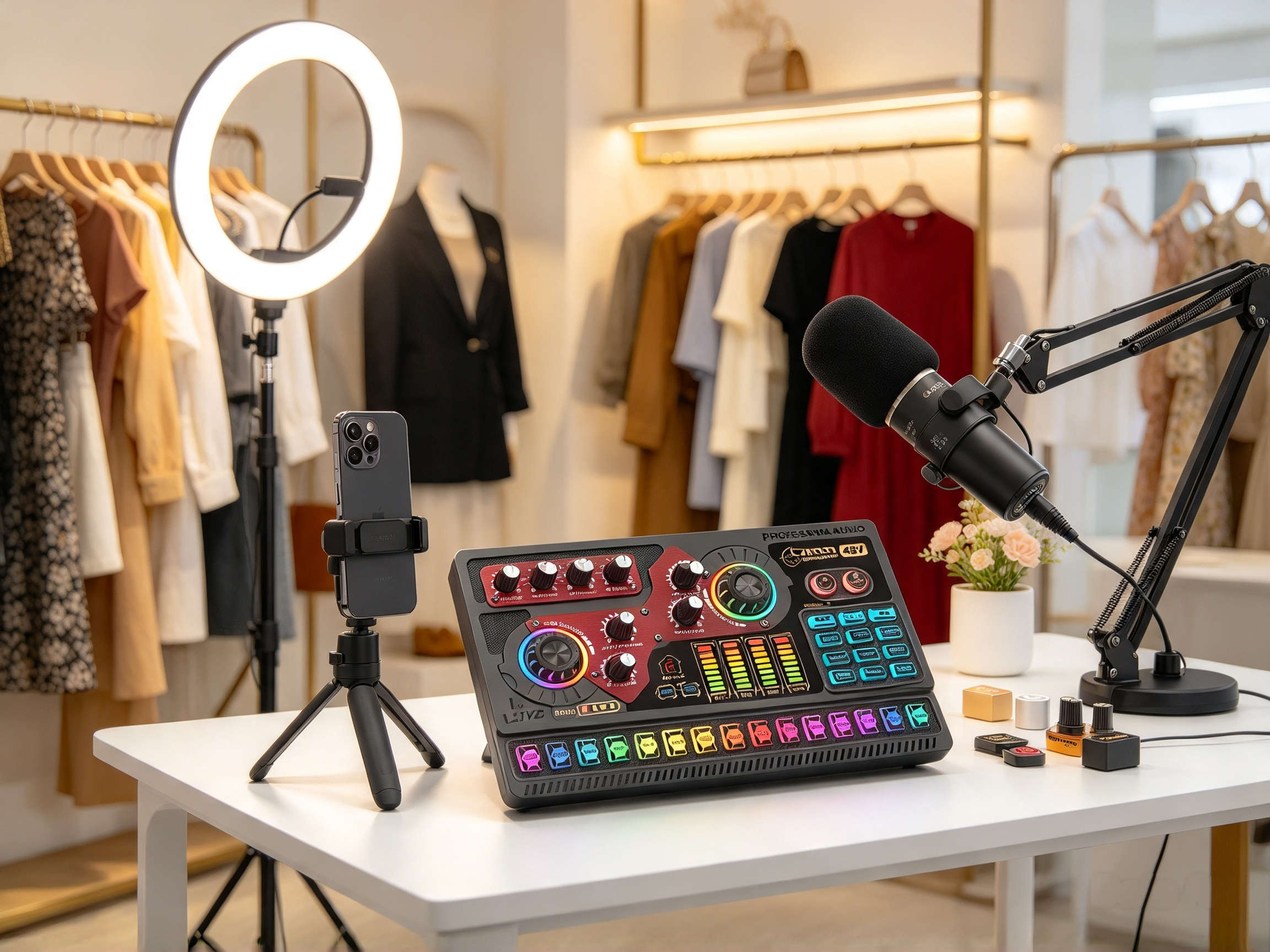
Live selling (livestream e-commerce) is becoming a familiar business model for fashion shops, cosmetics stores, home appliance retailers, and many online sellers across Vietnam. From small shops to professional studios in Hanoi and Ho Chi Minh City, sellers are increasingly focusing on audio and video quality to deliver a better viewing experience for their audience.
Among essential equipment, a live selling sound card is a popular piece of gear for those wanting to take full control of voice, background music, and multiple audio sources during live broadcasts.
However, for beginners, choosing the right sound card is far from simple. Should you get a sound card for a mobile phone or a computer? How many connection ports do you actually need? Do you need a professional microphone? How do you prevent audio loss, low volume, or noise interference during a stream?
This article will guide you through the key fundamentals to help you choose the right audio setup tailored to your business needs.
1. What Is a Livestream Sound Card?
A livestream sound card is an audio processing and control interface that processes sound signals before transmitting them to a smartphone or computer for live broadcasting.
Simply put, the sound card acts as an intermediary bridge between your microphone, background music, and streaming device. Depending on the model, users can adjust mic volume, music volume, audio effects, tone equalization (EQ), and various signal processing features.
By using a suitable sound card, streamers can take proactive control over their audio quality rather than relying solely on the built-in microphone of a phone or laptop.
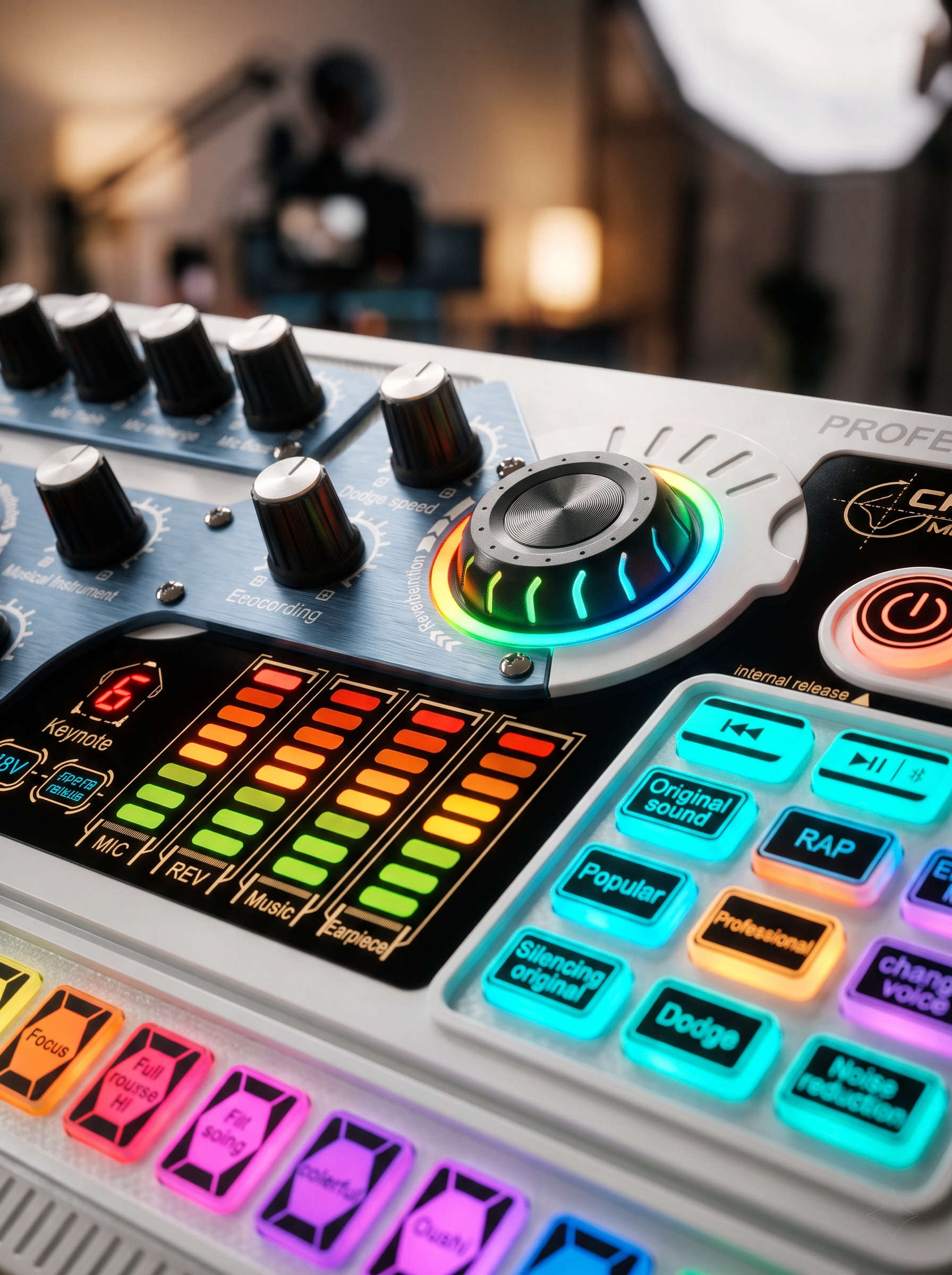
What Functions Does a Sound Card Have?
Common features found on livestream sound cards include:
-
Microphone Volume Adjustment: Keeps your voice balanced—neither too quiet nor distorted/too loud.
-
Background Music Control: Balances voice output with audio played from music or video sources.
-
Noise Reduction: Helps filter out unwanted ambient noise depending on the hardware design.
-
Reverb Effects: Adds spatial depth or vocal reverberation when needed.
-
Ducking (Auto-Ducking): Automatically lowers background music volume whenever you speak (on supported models).
-
OTG Connection: Transmits lossless digital audio signals directly to smartphones or compatible devices.
Not every sound card includes all of these features. Beginners should carefully check the specs and user manual of each product before making a purchase.
2. What Audio Equipment Does a Live Seller Need?
A basic livestream audio setup typically consists of a sound card, a microphone, monitoring headphones, and a smartphone or computer.
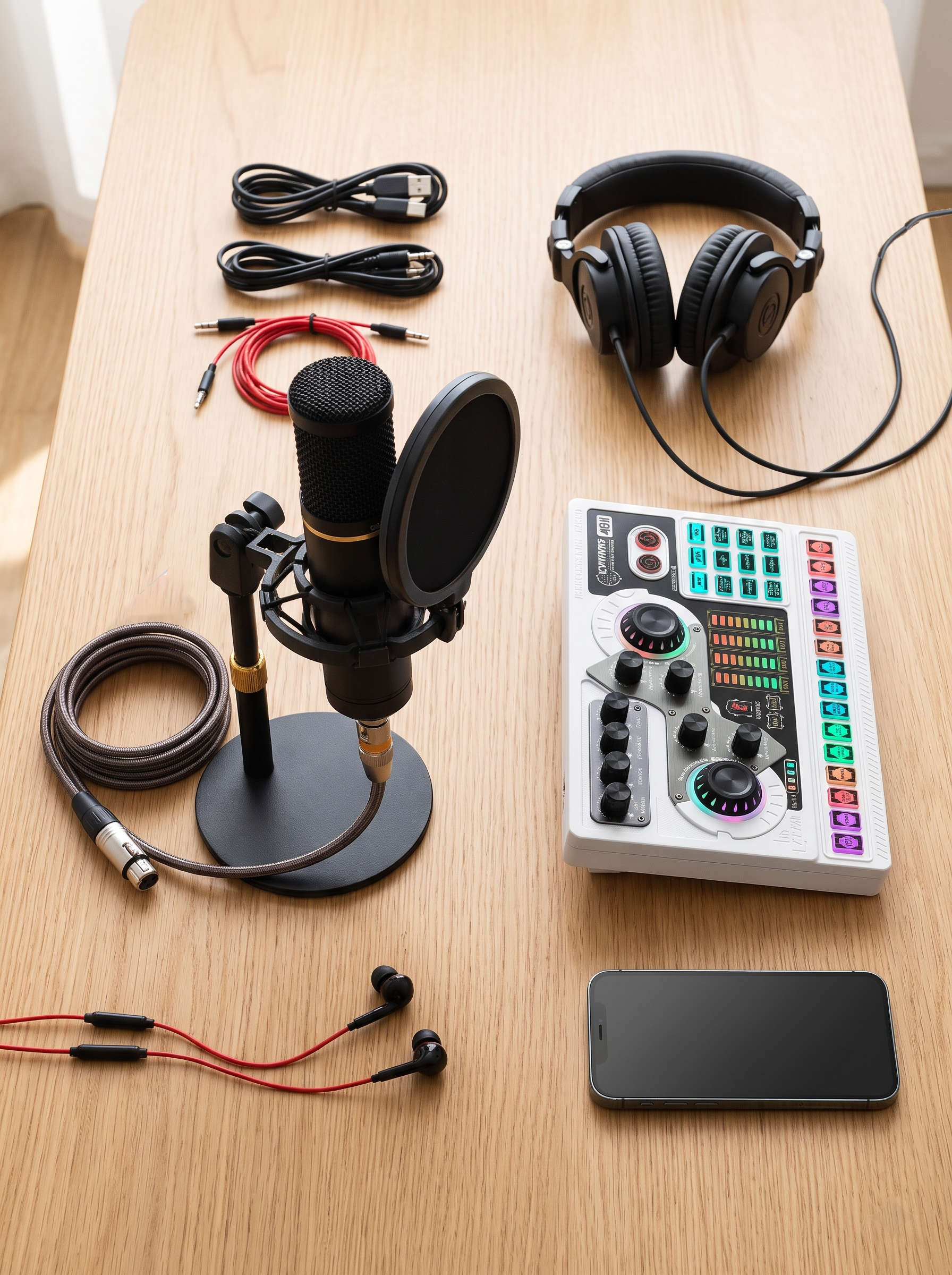
Sound Card
This is the core device for signal routing and audio adjustments. If you stream regularly from a fixed setup—such as a studio or retail shop—a sound card makes managing multiple audio sources much easier.
Microphone
The microphone captures the seller's voice. Depending on your streaming style, you can choose:
-
A condenser microphone to capture crisp vocals when seated or standing fixed in front of the camera.
-
A dynamic microphone for environments requiring specific directional sound pickup.
-
A wireless lavalier (lapel) microphone when you need mobility to move around and showcase products in-store.
Always verify whether the mic type is compatible with your sound card's input ports.
Monitoring Headphones
Headphones allow the streamer to monitor audio in real time during setup and live broadcasts. This helps you immediately spot issues like low volume, static noise, or music overpowering your voice.
Smartphone or Computer
This is the main host device running streaming applications like TikTok, Facebook, or other e-commerce platforms. Before selecting a sound card, determine whether you primarily stream via phone or PC.
For beginners, you don't need to buy every high-end device at once. Start with a gear combination that fits your current selling workflow, then upgrade as your business grows.
3. Key Connectivity Ports to Check Before Buying
This is a critical step: having many ports does not necessarily mean the sound card will be compatible with your specific microphone or smartphone setup.
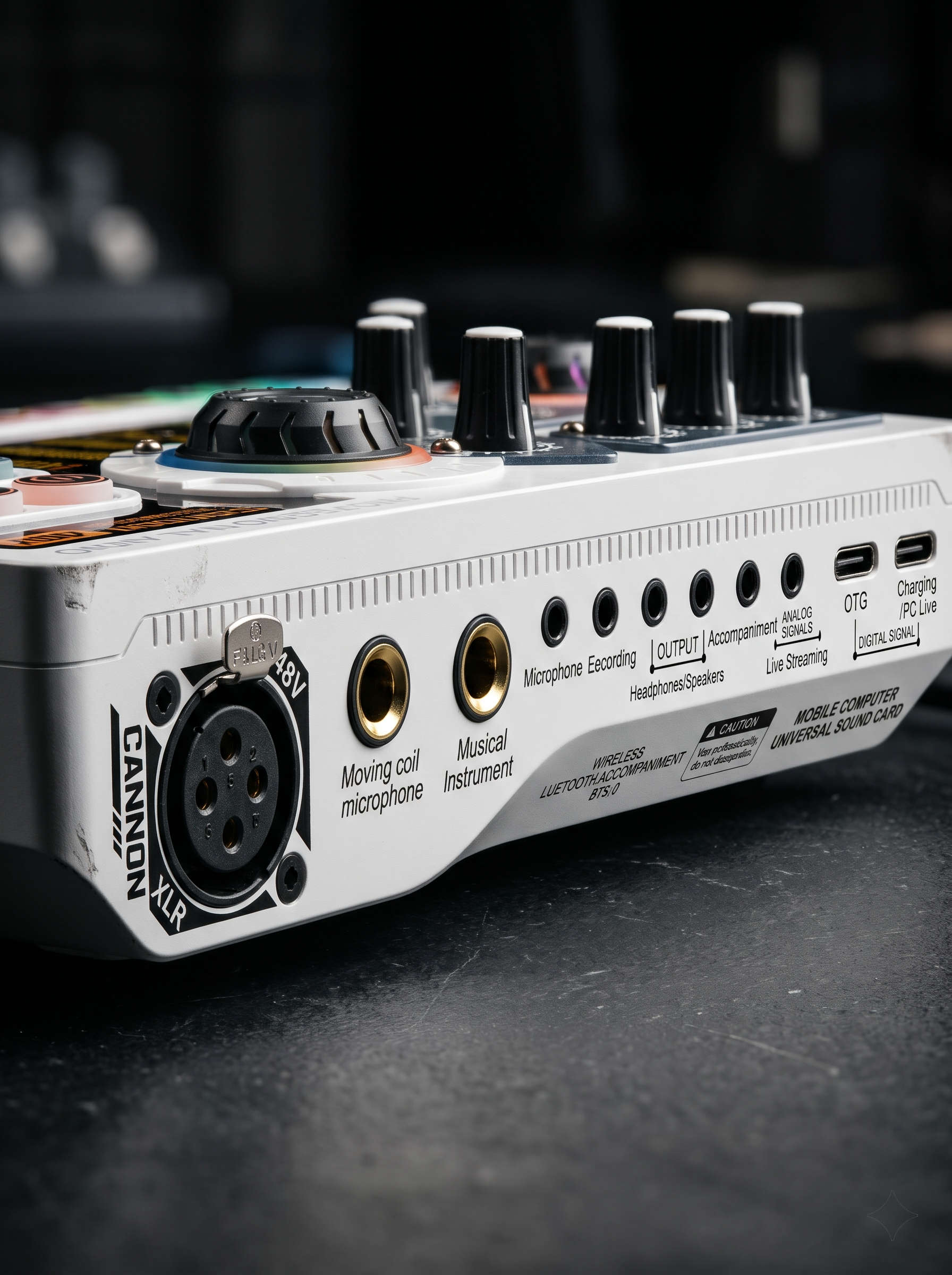
USB Type-C and OTG Ports
If you stream mostly on a mobile phone, prioritize checking OTG compatibility and matching port standards.
Many sound cards use Type-C to transmit digital audio directly to phones or PCs. Make sure your end device supports proper digital audio pass-through.
XLR Ports and 48V Phantom Power
XLR connectors are standard for professional-grade microphones. Some condenser mics require 48V phantom power to operate.
If the sound card features a 48V XLR port, verify if your microphone requires and supports phantom power. Never turn on phantom power indiscriminately for non-compatible mics.
6.35mm (1/4") Ports
6.35mm jacks are typically reserved for dynamic mics or musical instruments, depending on the sound card layout.
If you plan to connect wired dynamic mics or instruments, review each port's precise function rather than assuming based on jack size alone.
3.5mm Ports
3.5mm ports are widely used for headphones, audio monitoring, or auxiliary audio inputs/outputs. Exact function varies by product design.
Pro Tip: Before buying a sound card, note down your smartphone model, PC OS, mic model, and existing accessories. This will help you check hardware compatibility far more accurately.
4. How to Choose a Sound Card Based on Phone, Computer, and Mic Count
There is no single "one-size-fits-all" sound card. Select your gear based on your actual operational workflow.
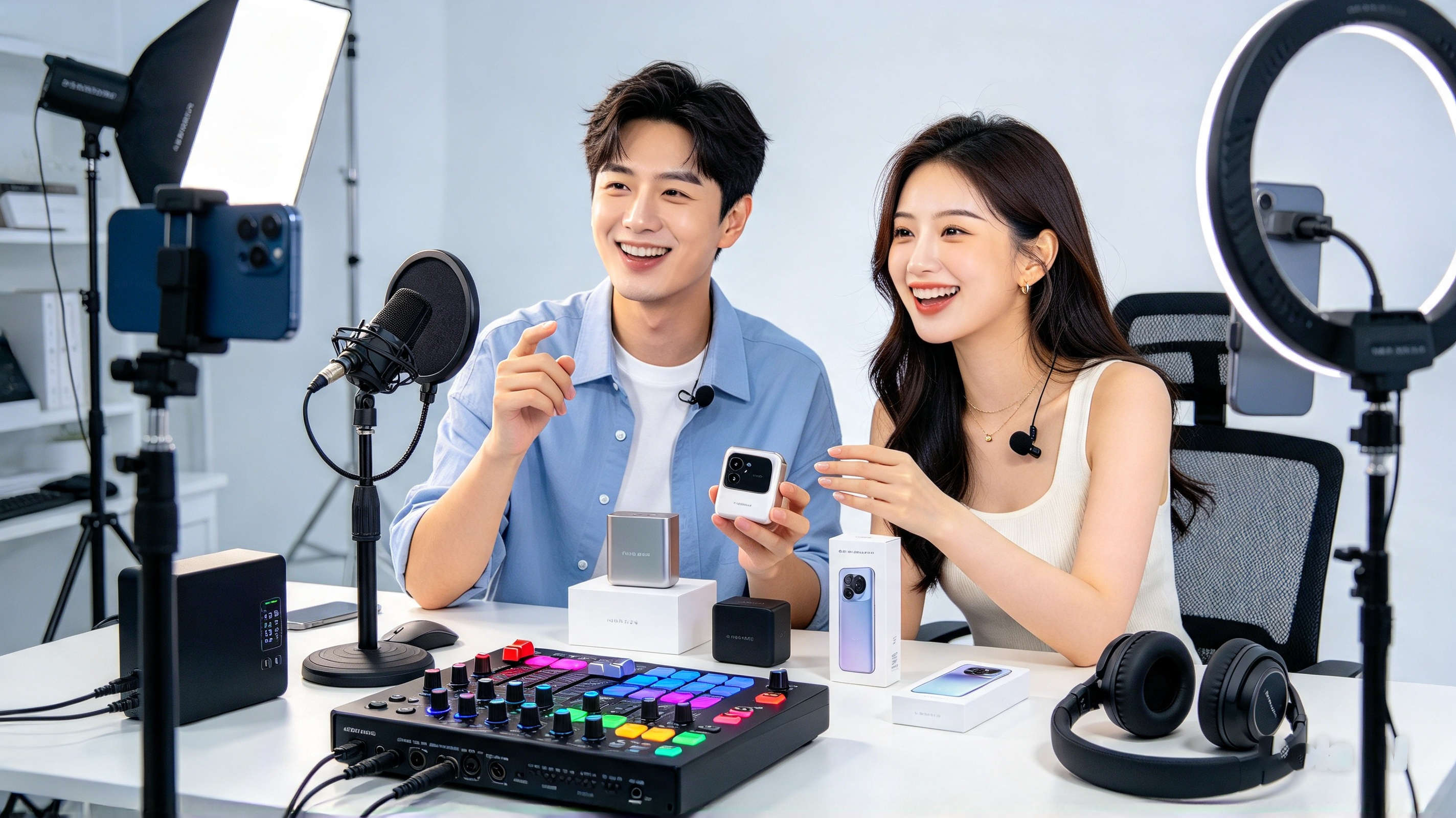
Scenario 1: Streaming via Smartphone
If your live sales are broadcast mainly from a mobile phone at home or in a retail shop, look for:
-
Direct port compatibility with your phone model.
-
OTG support for digital, lossless signal transmission.
-
Straightforward layout and easy-to-use controls.
-
Reliable audio output and monitoring options.
-
Power delivery solutions (charging while streaming) suitable for long broadcasts.
For sellers in Hanoi and HCMC, this setup is ideal for quick, high-frequency mobile broadcasts without setting up a bulky PC rig.
Scenario 2: Streaming via Computer
If you stream from a fixed shop or dedicated studio using a desktop or laptop, pay attention to:
-
OS driver compatibility and streaming software integration (OBS, PRISM, etc.).
-
Number of dedicated mic inputs.
-
Precise control sliders for voice and background audio.
-
Dedicated monitor outputs and audio routing capability.
-
Expandability for external peripherals.
Before purchasing, make sure your computer and live streaming software recognize the device interface smoothly.
Scenario 3: Single-Host Livestream
If only one person hosts in front of the camera, start with a streamlined signal chain:
Microphone → Sound Card → Phone or Computer → Streaming Platform.
Avoid buying overly complex interfaces with unnecessary inputs. Instead, focus on vocal clarity, gain control, and everyday ease of use.
Scenario 4: Dual-Host or Multi-Source Setup
If your shop regularly hosts co-anchors, guest interviews, or team broadcasts, verify the actual number of simultaneous mic inputs available.
Be sure to distinguish between livestream output ports, mic input ports, and total simultaneously processed channels—these three specs are distinct.
Additionally, look for independent volume controls for each input channel so one host doesn't overpower the other.
5. Featured Models: ZANSONG X5 and X7 Livestream Sound Cards
Once you've defined your streaming requirements, consider exploring models from the ZANSONG STREAM series.
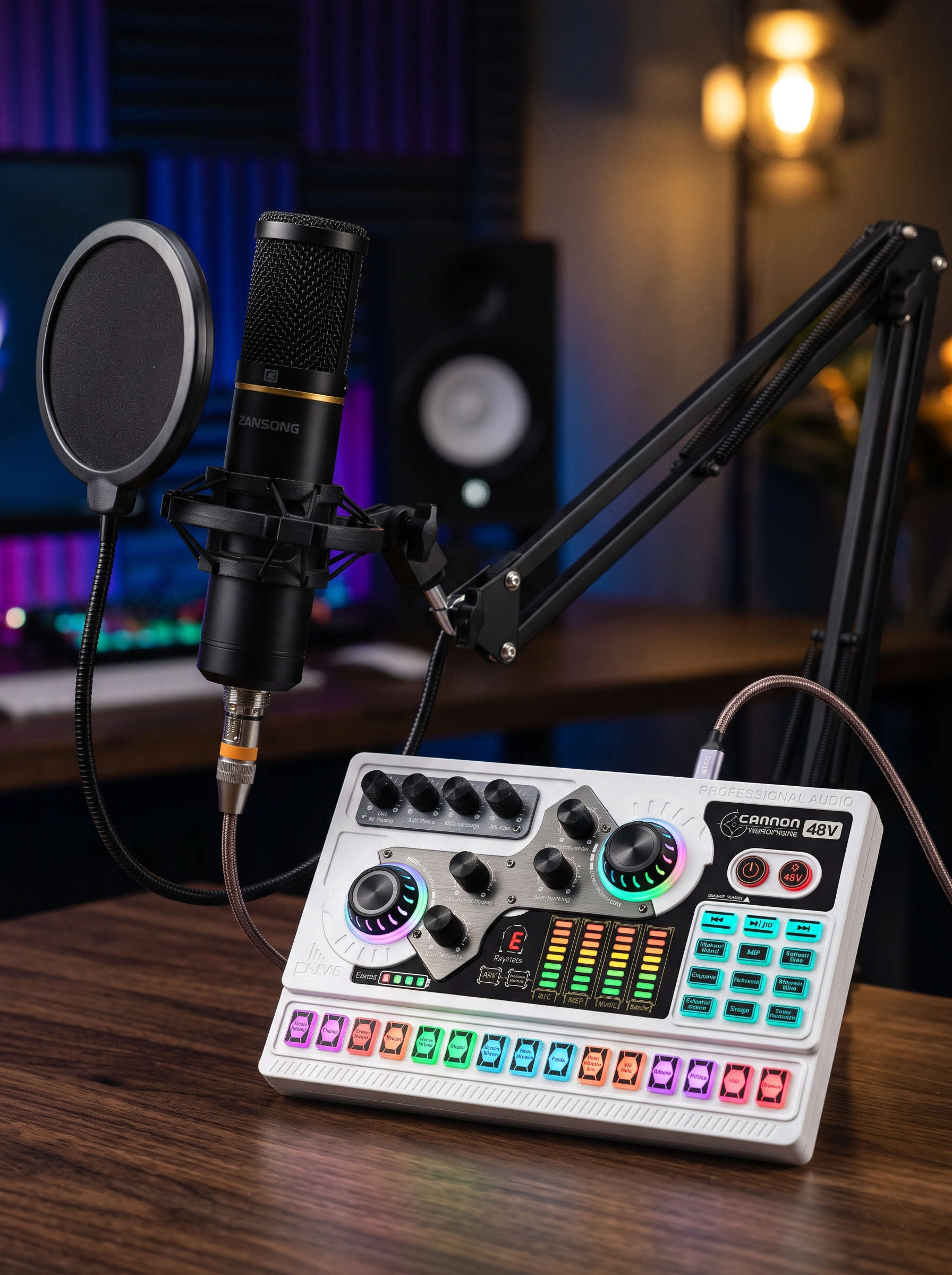
ZANSONG X5 – Sound Card & Microphone Combo Solution
ZANSONG X5 is a versatile sound card bundled with a condenser microphone, tailored for live selling, audio recording, and content creation.
Key specs for the X5 include:
-
XLR input with 48V phantom power support.
-
Dual Type-C digital OTG ports.
-
Dual 3.5mm streaming output jacks.
-
6.35mm dynamic microphone input.
-
Bluetooth connectivity for wireless background music playback.
-
Independent volume controls for mic, music, and headphone monitoring.
-
Built-in DSP effects including noise reduction, auto-ducking, and EQ tuning.
With these capabilities, the X5 offers a solid setup for sellers establishing a fixed streaming desk with full control over multiple sound elements.
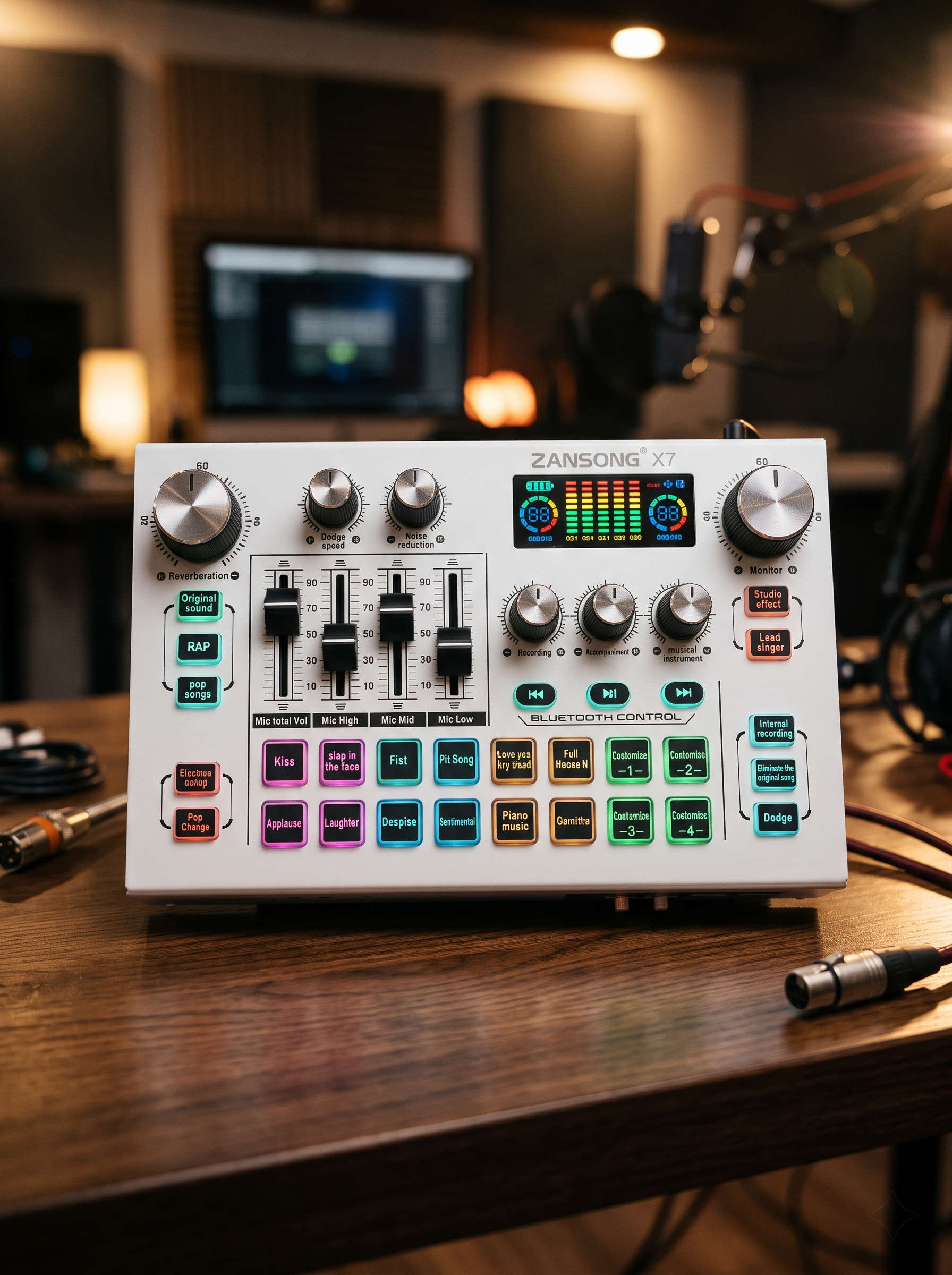
ZANSONG X7 – Designed for Advanced Audio Tuning
ZANSONG X7 features a sleek metallic housing and a built-in LCD screen displaying real-time audio parameters. Manufacturer specifications highlight:
-
XLR mic input with 48V phantom power support.
-
Dual Type-C OTG digital connections.
-
3.5mm auxiliary jacks and background music inputs.
-
16-level adjustable noise cancellation.
-
Auto-ducking feature to lower music levels when speaking.
-
3-band EQ controls (High, Mid, Bass tone shaping).
-
Lead/Accompaniment modes for clear vocal prioritization.
The X7 is a great candidate if you need detailed, hands-on control over your audio stream within a single hardware interface.
Note: Practical setup results depend on your microphone, phone, PC, cabling, and chosen software. Always review the user guidelines before finalizing gear choices.
6. Common Audio Setup Mistakes to Avoid During Streams
Even with a suitable sound card, beginners may run into setup issues. Here are common problems and fixes:
No Audio Output on Stream
Usually caused by plugging cables into wrong jacks, selecting improper audio input devices in software, or undetected hardware.
Troubleshooting steps:
-
Double-check physical cable connections.
-
Verify OTG connections and device compatibility settings.
-
Select the correct audio input source in your streaming app settings.
-
Perform a test audio recording before starting the live broadcast.
Voice Too Quiet or Distorted
Caused by incorrect gain staging, speaking too far from the mic, or clipping from overly hot input levels.
Troubleshooting steps:
-
Adjust mic gain and volume controls according to manufacturer guidance.
-
Position the microphone at an optimal speaking distance.
-
Avoid cranking master gain levels to maximum right away.
-
Monitor your sound levels continuously using headphones.
Background Music Overpowering Vocal Mic
A frequent mistake where background tracks drown out product sales pitches.
Troubleshooting steps:
-
Lower the background music playback volume level.
-
Boost microphone volume to an appropriate clear level.
-
Enable the auto-ducking feature on your sound card if available.
-
Test the balance between music and speech before going live.
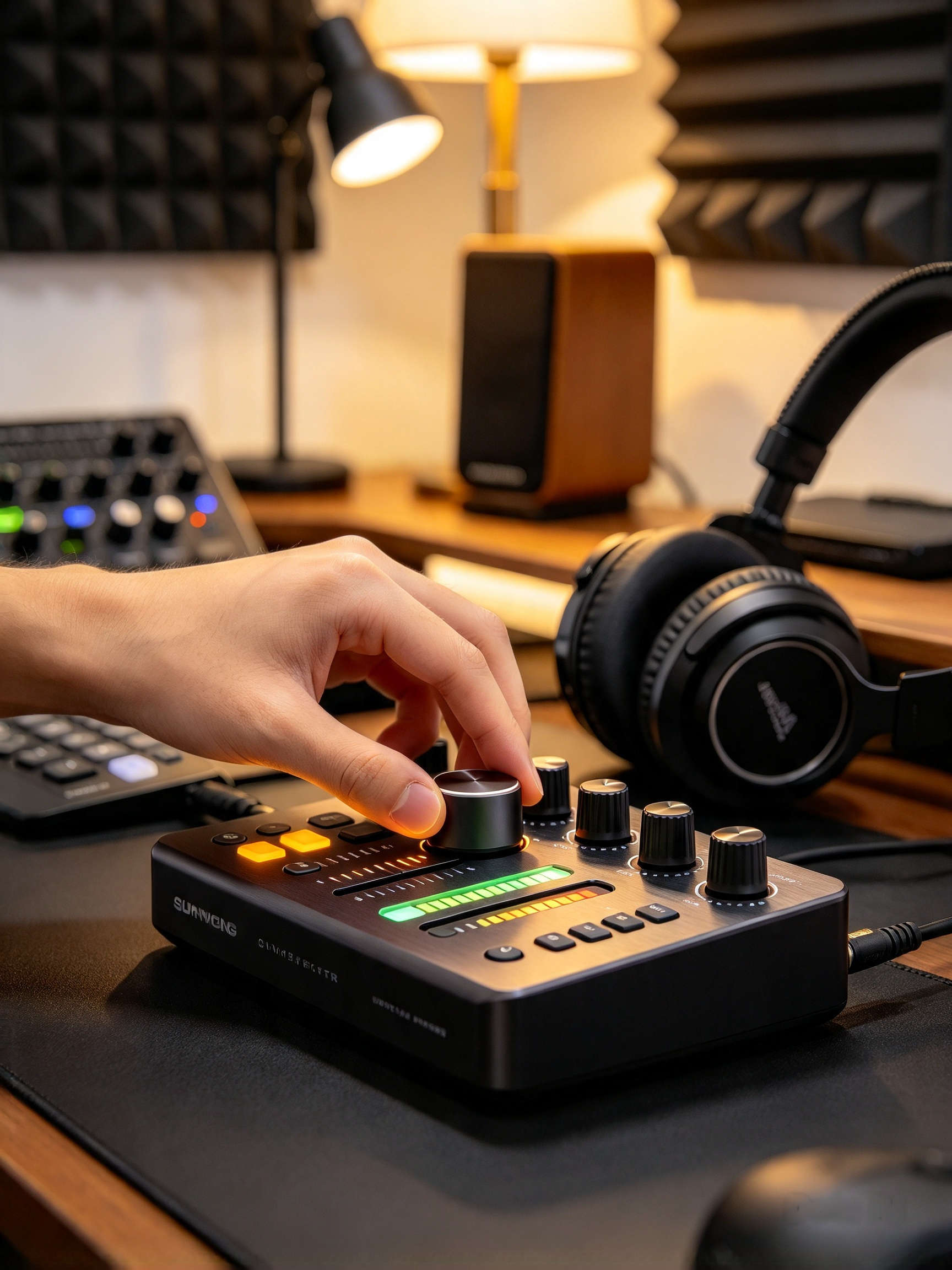
Static, Buzzing, or Signal Noise
Can stem from cheap cables, power interference, bad grounding, or uncalibrated audio software.
Troubleshooting steps:
-
Inspect cables and swap them out to isolate defects.
-
Route audio cables away from power strips and interference sources.
-
Verify power supply stability and connected gear hardware integrity.
-
Dial in built-in noise reduction settings on supported models.
7. Buying a Livestream Sound Card in Vietnam: What to Keep in Mind
Vietnam's audio gear market offers numerous options for beginners, retail sellers, and professional studios alike. Whether you are looking for a livestream sound card in Hanoi, Ho Chi Minh City, or surrounding provinces, prioritize these criteria:
-
Clear model information and verified technical specifications.
-
Comprehensive setup documentation and user guides.
-
Ability to test physical compatibility with your existing devices.
-
Explicit warranty policies and technical support availability.
-
Bundled accessories matching your planned livestream configuration.
Avoid choosing gear based solely on flashy sound effects or exaggerated marketing claims. The right setup is one that matches your actual live selling routine and stays reliable over long broadcasting hours.
If you're outfitting a live selling setup in Hanoi, HCMC, or anywhere in Vietnam, browse the ZANSONG Sound Card product lineup to explore the X5, X7, and other tailored options.
Discover ZANSONG Sound Cards here
8. Frequently Asked Questions (FAQ)
Do beginner live sellers really need a sound card?
Not everyone needs one immediately. If you stream simple seller updates directly via phone, a compatible microphone alone might suffice. However, a sound card becomes essential when you want to control background music, ducking, sound effects, and multiple audio inputs independently.
Can a livestream sound card be used with smartphones?
Yes, provided the model supports direct phone connections and matches your device interface standard. Be sure to check Type-C, OTG, or required adapter compatibility prior to purchase.
Should I choose the ZANSONG X5 or X7?
Compare their port layouts, processing functions, build hardware, and accessory kits. The X5 includes a condenser mic kit and multiple input options; the X7 features a metallic chassis, LCD display, and 16-level noise reduction. Select the model that aligns best with your streaming setup and control needs.
Can I use these sound cards for streaming on TikTok and Facebook?
Yes, as long as your sound card, mobile/PC device, and streaming software are properly configured. Always run a test recording before going live to ensure smooth operation.
Conclusion
Choosing the right sound card for live selling isn't just about finding the unit with the most ports or sound effects. The key is determining whether you stream via phone or computer, how many microphones you use, and which audio sources require real-time management.
Beginners should focus on an easy-to-connect, easy-to-operate setup that fits their immediate budget. As your streaming operation expands, you can upgrade to more advanced systems.
ZANSONG offers specialized sound card solutions like the X5 and X7 to help sellers build reliable audio setups tailored for live e-commerce across Vietnam.
